Introduction
The Blink LED project is one of the simplest ways to get started with Arduino. It teaches you how to control an electronic component using a few lines of code.
In this project, we will connect an LED to an Arduino board and make it blink at regular intervals. This simple experiment introduces digital output, program execution, and time delays.
Components Required
- Arduino Uno R4
- LED
- 220Ω resistor
- Breadboard
- Jumper wires(male to male)
How It Works
An LED emits light when current flows through it in the correct direction. The Arduino controls the LED by setting a digital output pin HIGH or LOW.
When the pin is HIGH, the LED turns on. When the pin is LOW, the LED turns off. By adding delays between these states, we can create a blinking effect.
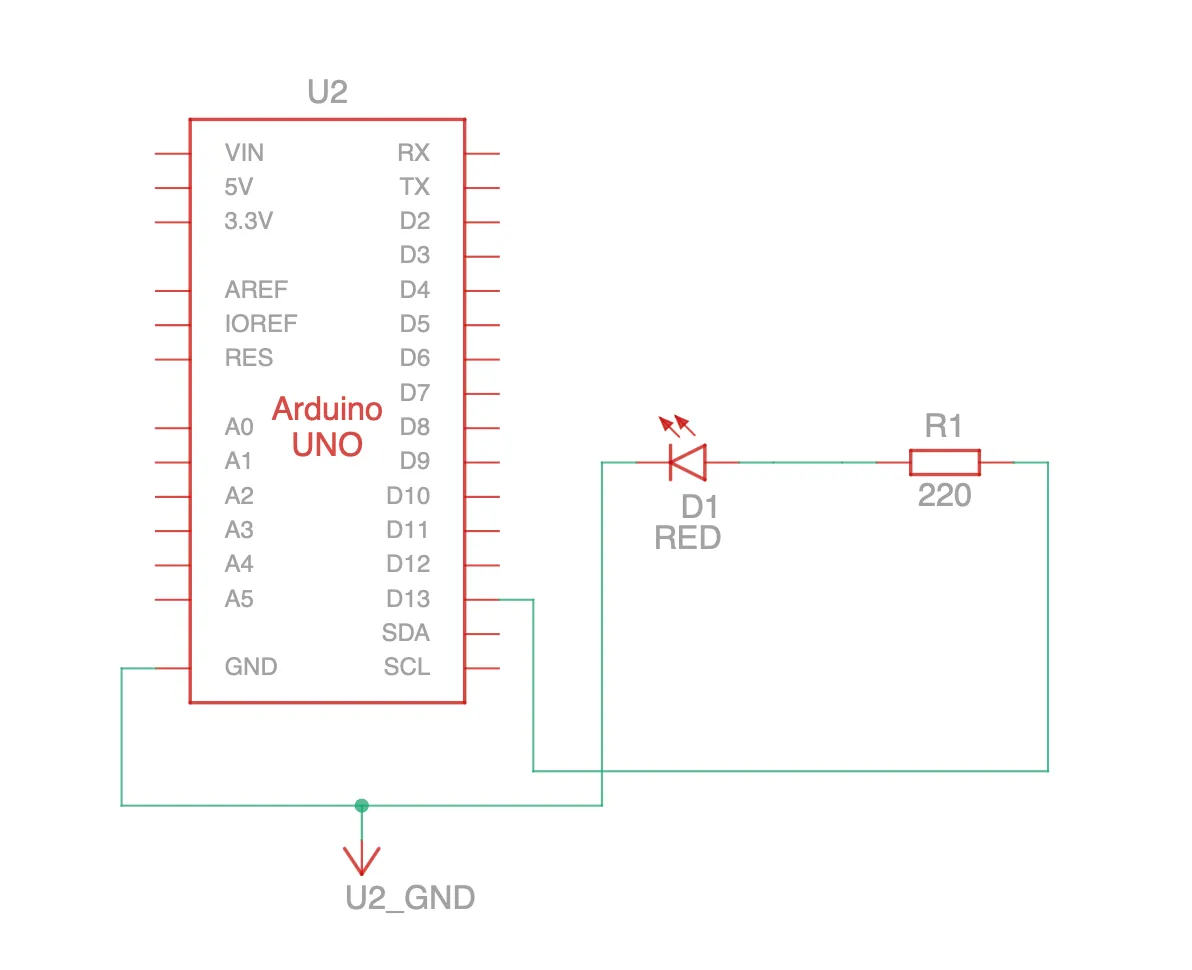
Circuit Diagram
Arduino Code
const int ledPin = 8;

void setup() {
  pinMode(ledPin, OUTPUT);
}

void loop() {
  digitalWrite(ledPin, HIGH);
  delay(1000);

  digitalWrite(ledPin, LOW);
  delay(1000);
}
Understanding the Code
pinMode()configures pin 8 as an output.digitalWrite(HIGH)turns the LED on.delay(1000)pauses the program for approximately one second.digitalWrite(LOW)turns the LED off.- The
loop()function repeats these steps continuously.
Expected Output
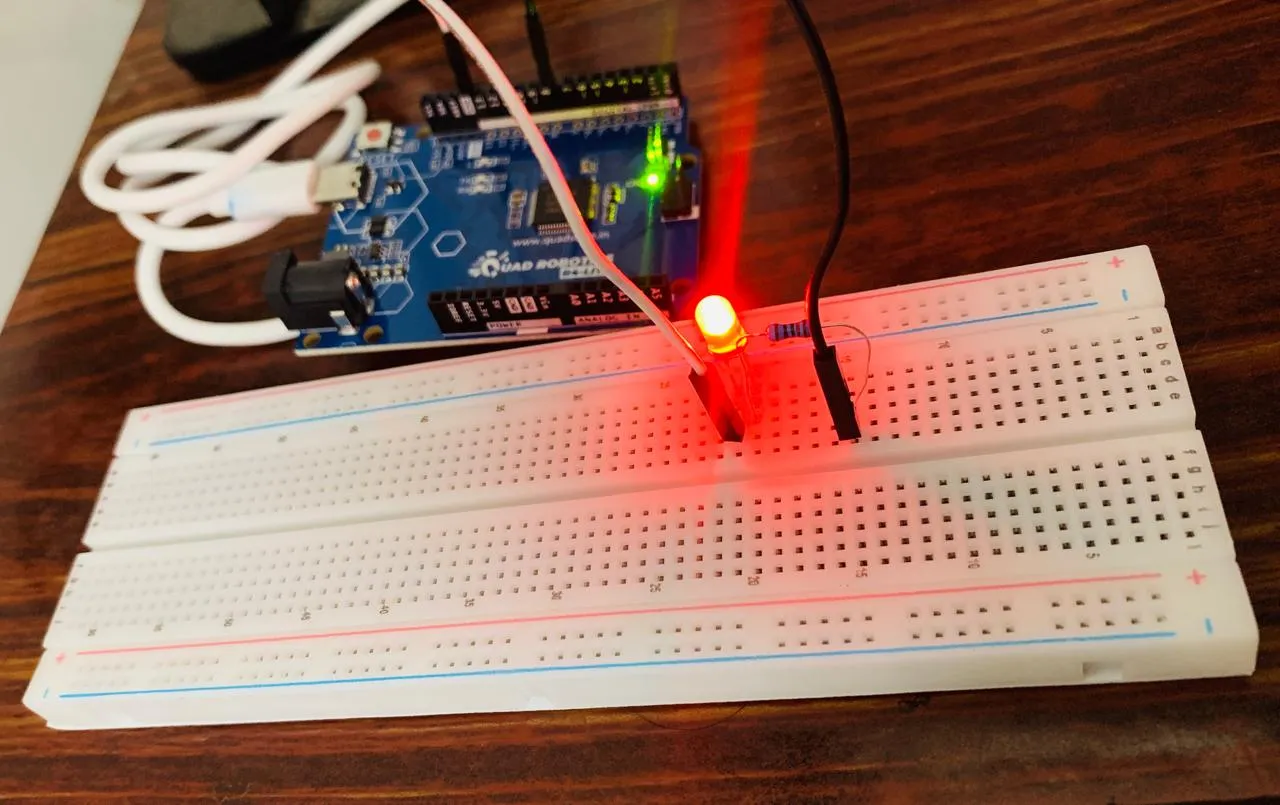
The LED turns on for one second, turns off for one second, and repeats the cycle until the Arduino is disconnected or the program is replaced.
Conclusion
The Blink LED project demonstrates the fundamental relationship between Arduino software and electronic hardware. Once you understand digital outputs, you can build more interactive projects using sensors, displays, buzzers, and motors.